
Drafted with AI assistance and reviewed, fact-checked and edited by hand before publishing - see our AI transparency page for how we use AI across the app.
It's been a busy few weeks since our last round-up, so this one's bigger than usual. Three new games landed, the progress report grew up, list-building got its own dedicated screen, and - quietly, in the background - we finished the compliance work that underpins all of it. Here's what changed.
Three new ways to play
Spelling practice works best when it doesn't feel like practice. Since our last update, we've added:
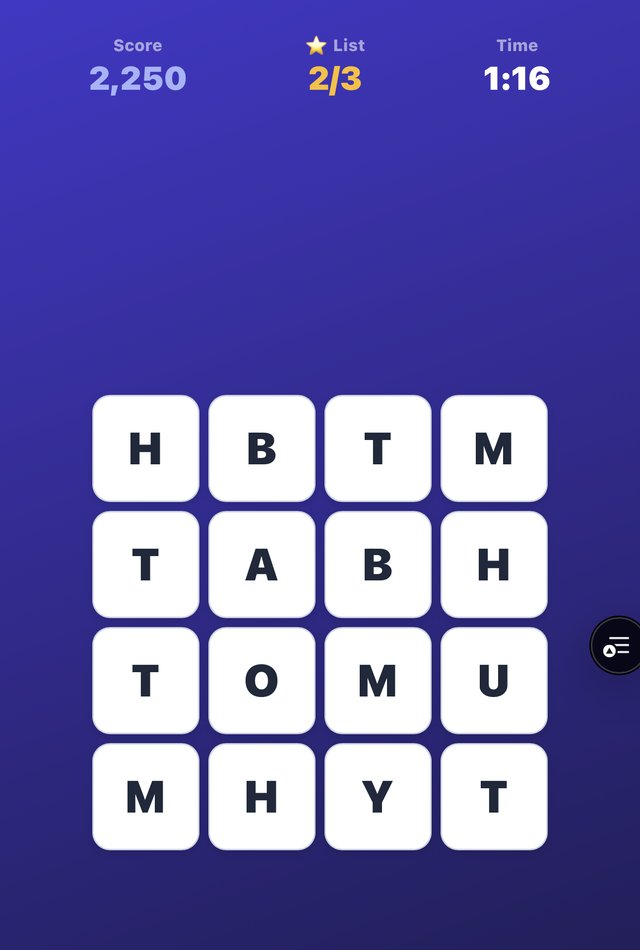
- Boggle - a word-hunt game with a spelling-list bonus, so the words your child is learning show up as targets on the grid. Diagonal letter selection is easier now too, after early feedback that it was fiddly on smaller screens.
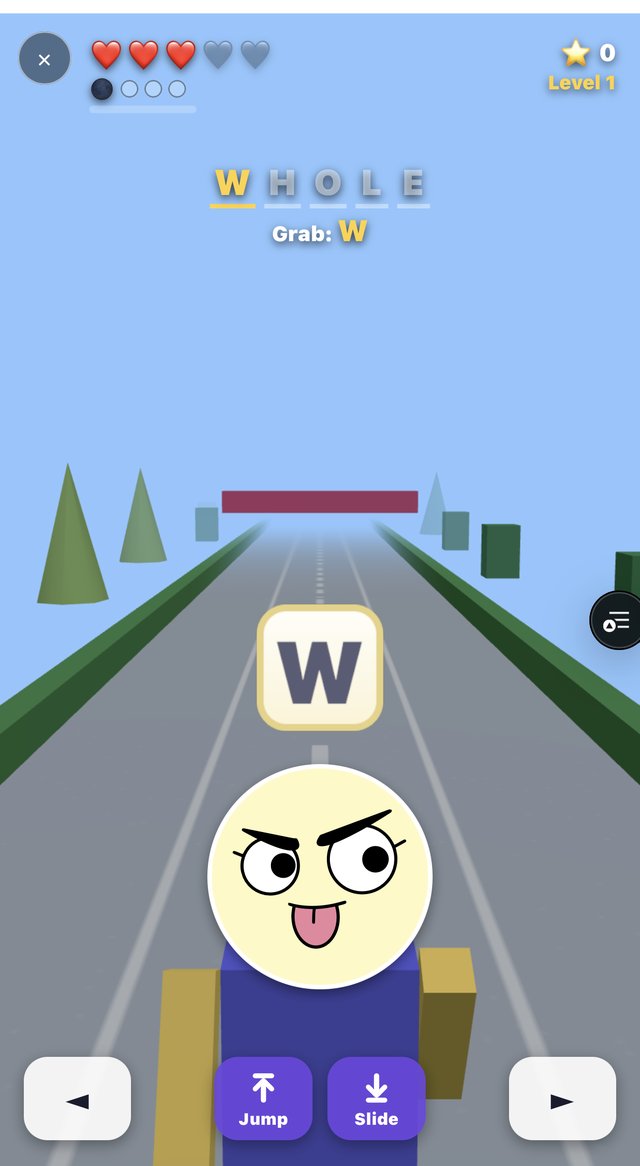
- Spell Sprint - an endless-runner with 3D visuals, jump-and-slide obstacles, and difficulty that ramps up the longer you last.
- Word Lock (previously called "Unlock" - same game, clearer name).
And a bigger change underneath all of them: Challenge mode. Any of Letter Maze, Letter Climb, Word Builder, Word Search, Ring or Word Lock can now be turned into a challenge - share a link, and a friend or sibling plays the same words and tries to beat the score. Every game now also shows a clear Hall of Fame, leaderboard and best score, with consistent start screens across the board so it's obvious what you're launching into.
A progress report that finally tells the whole story
Games are for fun, so they've never counted towards the accuracy report - that's deliberate, and it hasn't changed. What has changed is how much you can now see.
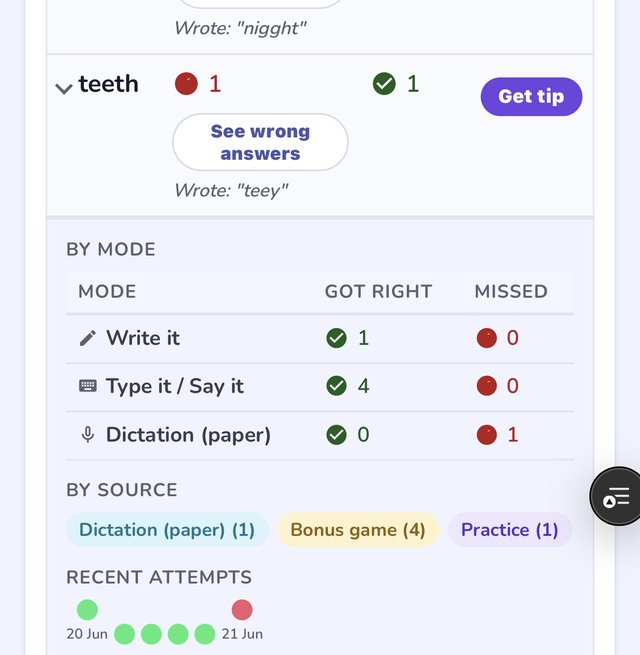
Tap any word in the report and it expands to show a full breakdown: a By mode table (Write it, Type it/Say it, Dictation, and so on) with a got-right/missed count for each, a By source row tagging how many attempts came from dictation, practice or a bonus game, and a row of recent-attempt dots you can read at a glance.
List-building gets its own home
Typing out ten words by hand is the least fun part of setting up practice, so we gave "get words on any topic" a proper full-page screen of its own, reached from the word lists home screen.
It now asks which year group you're building for - Years 1–2, Years 3–4 or Years 5–6 - and matches word difficulty to it, offers a word-count picker (5, 10, 15 or 20), and shows topic ideas and spelling-pattern chips tailored to that age group. Generated words appear as editable pills, so you can drop any you don't want before saving.
Worth being upfront about: while we were building this, we found that the year-group choice wasn't reliably reaching the AI prompt, so lists for younger and older children could come out more similar than they should have. That's fixed now - "Years 1–2" reliably gets you sun, moon, star, and "Years 5–6" gets constellation, atmosphere, satellite, for the same topic.
Two smaller list conveniences arrived alongside it: you can now remove a single word from a list without deleting the whole thing (progress and reports are kept), and rename a list inline by tapping the pencil next to its title.
Handwriting keeps getting sharper
Handwriting recognition has had a steady run of improvements: cursive writing is read more smoothly overall, and doubled letters - the ll in spell, the ss in glass - are now recognised more reliably, after we increased the image resolution the check runs on and gave the model clearer guidance on counting repeated letters. Writing your answer by hand now earns more stars and coins than typing, since it's the harder skill, and a couple of long-standing rough edges are gone: correct spellings are no longer occasionally marked wrong before the app finishes double-checking, and the writing pad is ready to use the instant it opens rather than needing a moment to warm up.
The trust stuff, done properly
Less visible, but worth knowing about if you're trusting us with your child's data: our Data Protection Impact Assessment is complete and signed off, we're registered with the ICO, and we've completed a self-assessment against all 15 standards of the Children's Code (the UK's Age Appropriate Design Code). Weekly progress report emails are now on by default for every parent - no setup needed, and still one tap to turn off in Settings if you'd rather not have them.
One more that's easy to miss: you can now switch a child between Early and Fluent levels at any time, and their progress - words learned, streaks, everything - comes with them. Useful for a child who's just crossed the line from "sounding it out" to "spelling fluently."
The bigger picture, too
If you're catching up after a while away, a few earlier features are still worth a look:
- The Skills Check - a feature-based spelling inventory that finds which patterns to practise, not just a score.
- Spaced repetition - your child's trickiest words come back at just the right moment, no flashcard grind.
- Paper practice - photograph the marked Friday test and watch it update the progress report.
- Handwriting analysis - instant feedback on how letters are formed, not just whether the spelling's right.
- How we look after children's data - what we collect, what we don't, and the controls you have.
That's a lot landed in a short stretch, and every piece of it started as feedback from a family using the app. If there's still something that trips you up - a game you wish had a challenge link, a report view you're missing - tell us. It's the fastest way to shape what ships next.