
If you've visited Spelling.live recently, you might have noticed there's no "Try as Guest" button any more.

You might be wondering: "Why would you remove a feature that lets people test your app?"
Great question - and the answer is simple, but it changes everything about how we help children learn.
We removed guest mode because it was impossible to show you what makes us special in a generic, one-off session. In fact, guest mode was doing you a disservice - and here's exactly why.
The Problem With "Guest Mode"
Almost every online spelling app offers a guest or demo mode. It lets you click a button, do five or ten practice words, and leave.
But here's the truth: those demos only show you the most basic, most limited part of their tool.
They usually only show you: "Type the word, click correct or wrong." That's it. And that's exactly what most tools do. So you leave thinking: "Oh, it's just like all the others."
For us, guest mode was even worse - because nothing that makes Spelling.live different works without tracking your child's progress. We're built specifically for UK English spelling, aligned to the National Curriculum, for EYFS, KS1, KS2, and SEN learners.
Most importantly: what we do is completely unique. You won't find any other tool that offers our full set of features - especially when it comes to combining spelling practice with proper handwriting analysis.
Here's exactly what you never would have seen in guest mode - and why we decided to remove it entirely.
Reason 1: Our AI Coach Only Works If We Know Their Mistakes
This is one of our key features - and we believe no other app combines it quite like this.
Other tools only give generic tips: "Remember 'i' before 'e'" or "Break the word into chunks." It's the same advice for every child, every time.
Ours works differently. The moment your child checks their answer, they get instant feedback. And as they keep practising, the AI tracks exactly which words they get wrong - and how they get them wrong. Then it builds targeted advice around their specific mistakes.
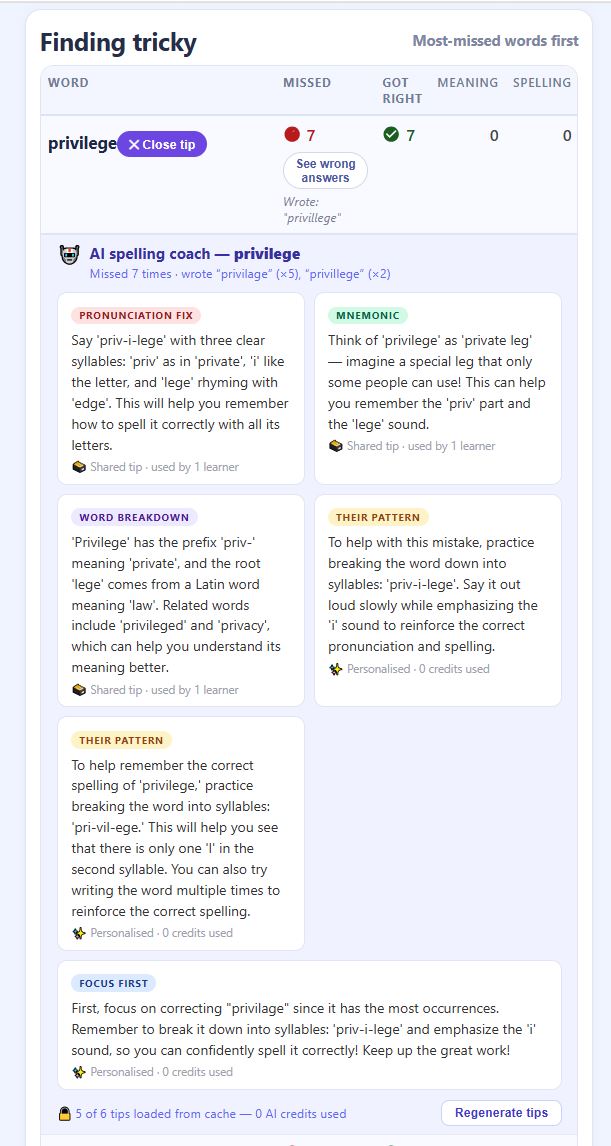
Take a word like privilege. If your child has written privilage five times and privillege twice, the AI coach doesn't give them a generic tip. It knows their exact pattern and responds to it:
- A pronunciation fix - breaking the word into clear syllables so they hear it correctly
- A mnemonic - a memorable image or phrase tied to that specific word
- A word breakdown - the prefix, root, and related words that reinforce the pattern
- Their pattern - advice written for the exact mistakes they made, not a generic learner
- Focus first - which mistake to tackle first, and why
You can't do any of that in guest mode. To give personalised tips, we need to know:
- Which words they struggled with - and how many times
- Exactly what wrong spellings they tried
- Whether the pattern suggests a pronunciation issue, a memory gap, or just a bad habit
A one-off guest session can't track that. It can only pretend to work.
Reason 2: We Check How They Write - Nothing Else Does This
This is our biggest difference - and the feature you won't find anywhere else.
Every other tool that lets you "write" words only checks one thing: "Did you draw something that looks roughly like the right word?" They don't care how you actually formed the letters - just whether the end result looks vaguely right.
We go much further. When your child writes a word on screen, we capture every stroke they make and analyse the result using GPT-4o - the same AI vision technology used by researchers and specialists. Here's what we actually look at:
What we check for every letter
- Shape and visual correctness - does each letter look right, or is it malformed?
- Letter reversals - are they writing b instead of d, or p instead of q? (One of the most common early years issues, and one most tools completely miss)
- Missing or extra strokes - did they forget a crossbar on a t, or add an extra hump to an n?
- Proportions - are tall letters tall enough? Are round letters too squashed or too wide?
- Spacing - are letters crammed together or floating apart?
- Uppercase confusion - are they writing A when they should be writing a?
- Hesitation and shakiness - is the writing smooth, or are there signs of uncertainty that might hint at a letter they're not confident with?
- Whether a handwriting mistake caused the spelling mistake - sometimes what looks like a spelling error is actually a writing error
What we look at differently by age
For EYFS and KS1 children (ages 4–7): we give a letter-by-letter breakdown - each letter gets its own assessment, a severity rating (none / minor / moderate / significant), a friendly message for the child, and a separate hint for the parent.
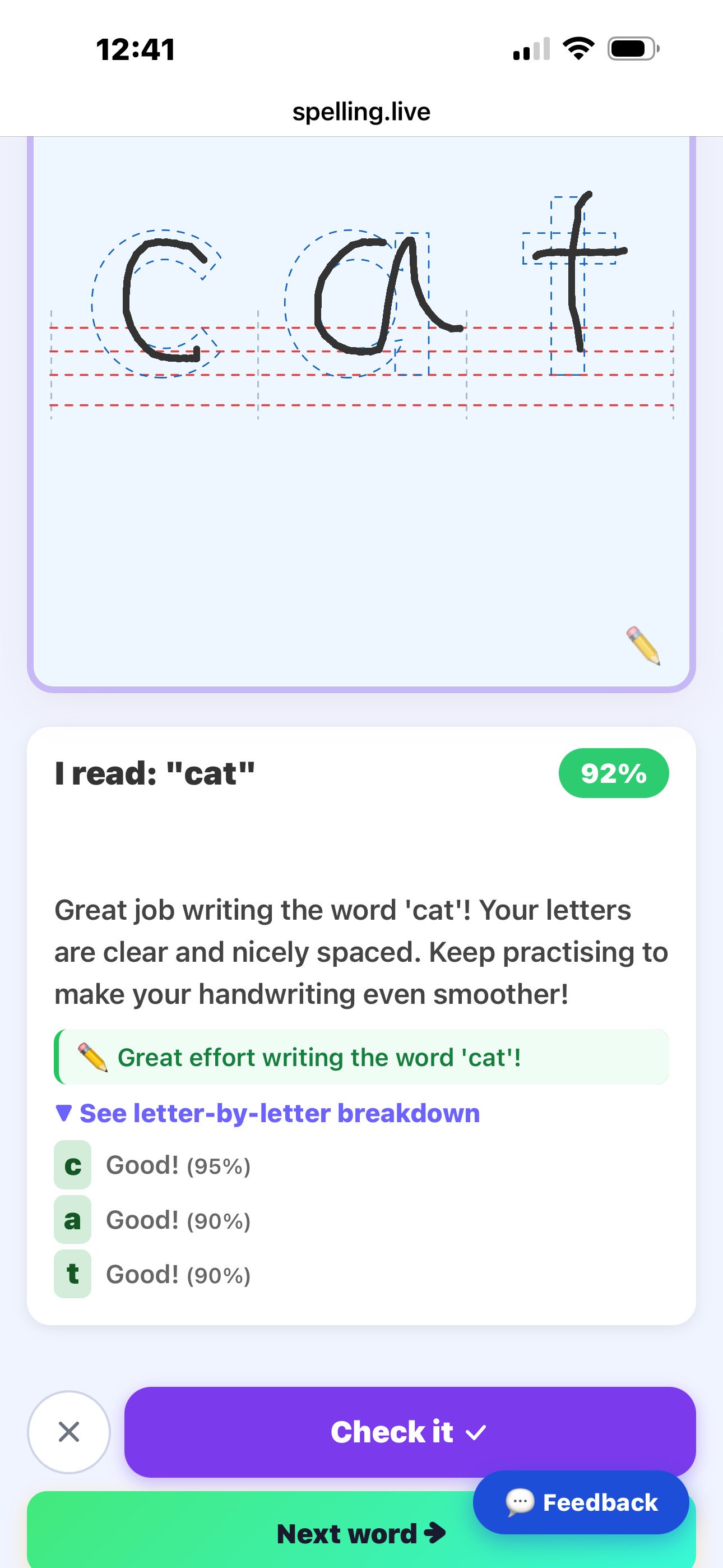
For KS2 children (ages 7–11): we score five specific dimensions: joins, slant, baseline, spacing, and overall legibility - each scored out of 100 - so you can see exactly where to focus.
Two separate feedbacks - one for the child, one for you
The child gets a short, encouraging message they can act on immediately. You - the parent or teacher - get a more detailed hint: the specific issue, why it matters, and what to practise.
None of this works in a one-off session. The patterns only become meaningful over time - which words they struggle to write clearly, which letters they consistently reverse, whether things are improving. Guest mode could never show you that.
We spot habits early - before they stick. And we report on it every week.
Reason 3: Personalised Learning Needs History
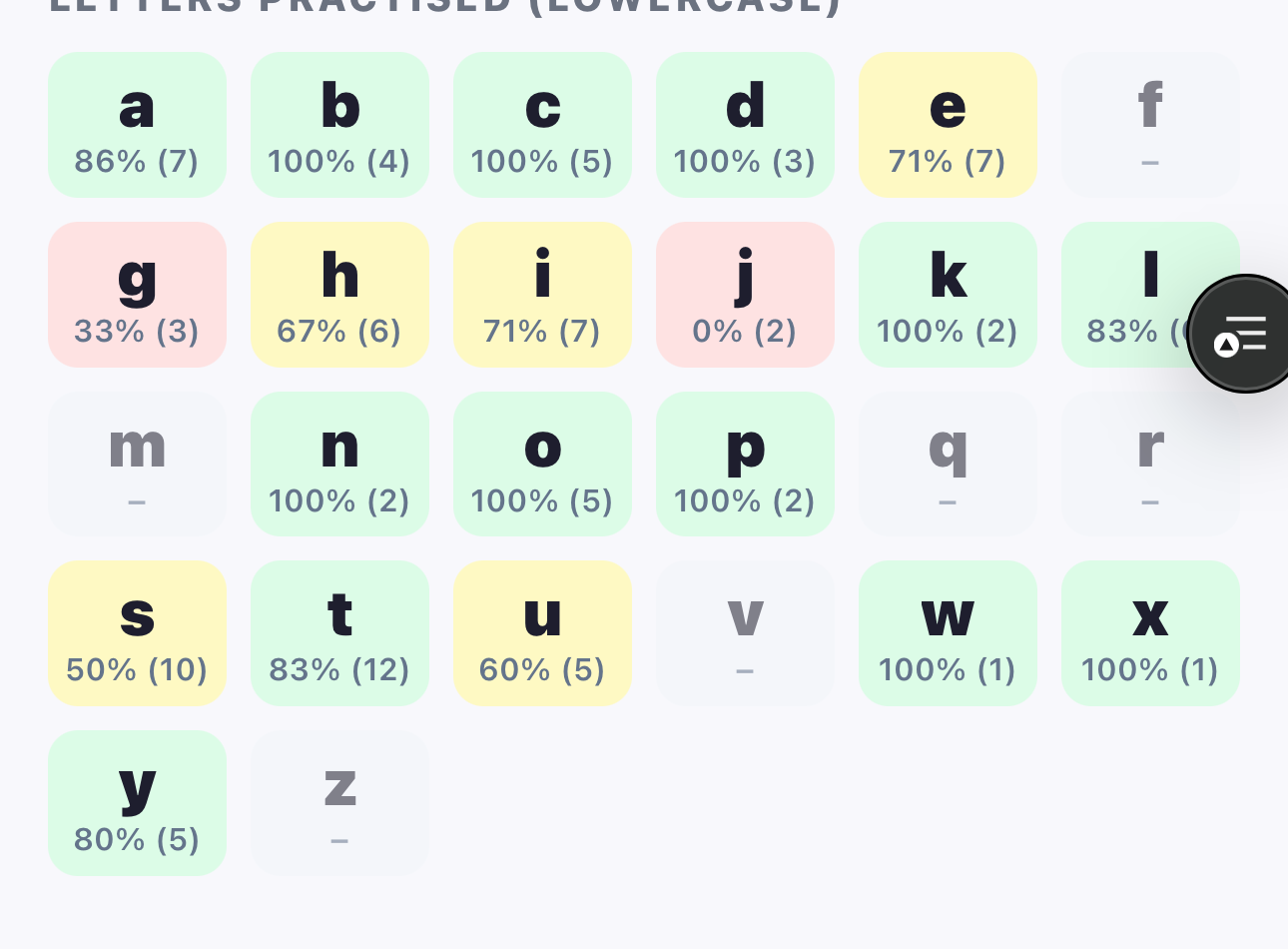
Everything we do is built around one simple idea: don't practise what they already know - practise what they find hard.
We automatically:
- Prioritise words they've missed before - perfect for National Curriculum spelling requirements
- Adjust difficulty based on how they're doing
- Build word lists around their gaps - whether Year 1 spelling, Year 6 spelling, or anything in between
- Send weekly reports that tell you exactly what to work on next
None of this works without an account. None of this works in a five-minute guest session.
If we let you try as a guest, you'd only see us drill random words - just like every other basic tool. You'd never see the magic of us adapting to your child.
Reason 4: We Don't Want to Be "Just Another Spelling App"
Let's be honest: most spelling tools are just games or flashcards. They're fine for quick practice, but they don't actually teach.
We built Spelling.live to be a proper learning tool - built for UK parents, teachers, and children, aligned to the National Curriculum, designed for EYFS, KS1, KS2, and SEN learners. We don't do quick demos because we don't do quick fixes.
We help children build skills that last - whether you want to learn to spell at home, support homework, or reinforce what they learn in class.
When you sign up, you get everything. No watered-down version, no fake demo, no "this is what it could be like."
So How Do I Know It's Good?
Easy - signing up is free, takes two minutes, and requires no credit card.
You can add unlimited children, try every feature, and see exactly how it works - because the only way to see how good it is, is to use it properly.
Here's what you get the moment you sign up:
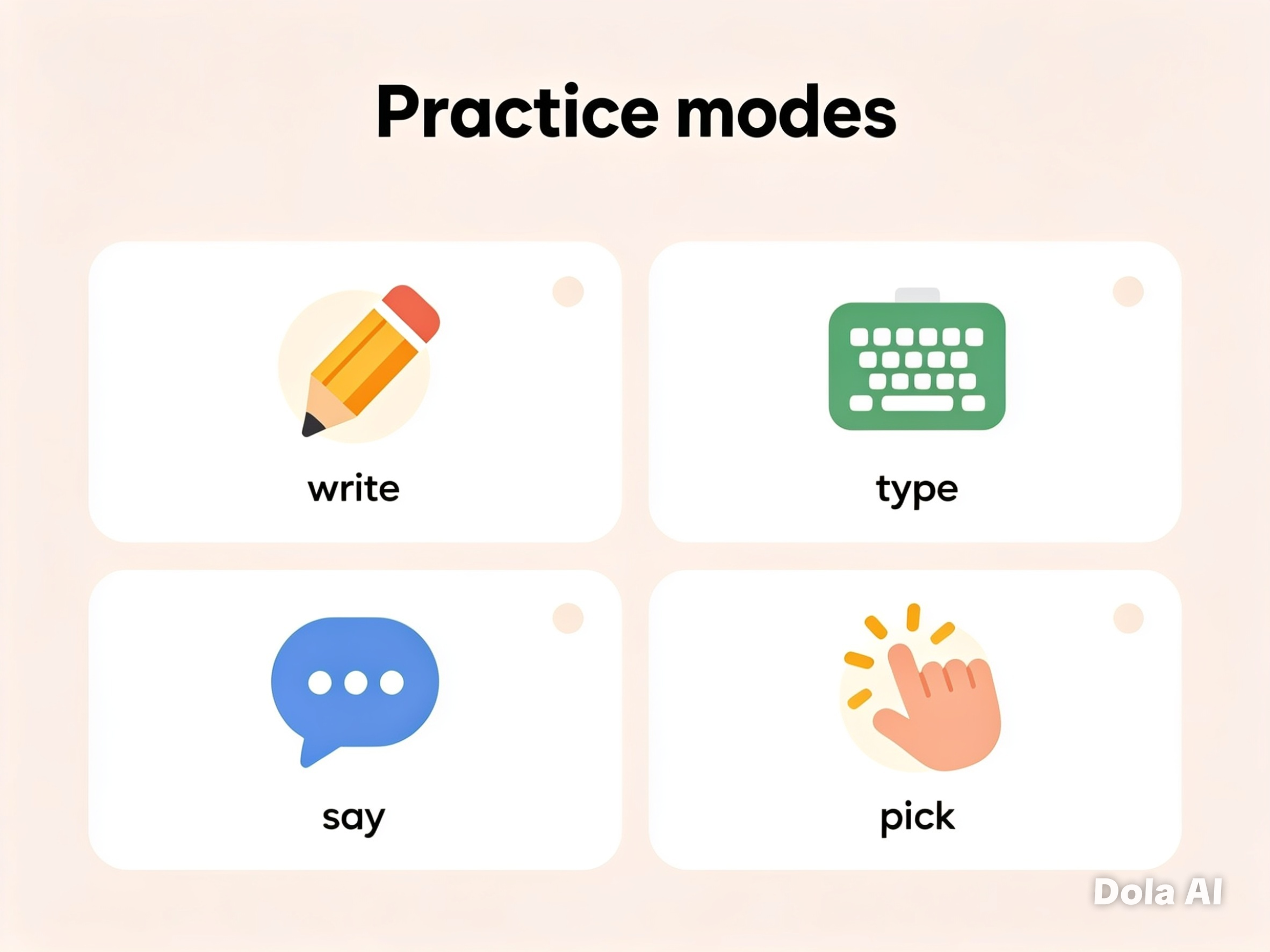
- Write · Type · Say · Pick - all four ways to practise
- Full handwriting analysis with formation feedback - unique to us
- AI spelling coach that learns from their mistakes
- Snap a photo of homework → instant word list
- Weekly progress reports: spelling, handwriting, and exactly what to practise next
- 100% UK English spelling - no American spellings
- Fully aligned to the National Curriculum for all year groups
Our Promise to You
We removed guest mode because we refuse to give you a half-baked experience.
We believe that if something is worth doing, it's worth doing properly. And helping your child improve spelling and handwriting is worth doing properly.
When you sign up to Spelling.live, you're not just getting the best online spelling app in the UK - you're getting a tool built around your child, built to help them make real progress, and built to save you time and stress.
No guest mode. No generic demos. Just real learning, real results, and the best spelling tool in the UK.