Pilot Spelling.Live free with one class this term
Ten minutes of spelling practice a day on school devices, with every answer marked and every mistake traced back to the spelling rule behind it. Schools are already running it as a class routine. Try it with one class and tell us what you think.
Free for the term. No card, no contract, no marking.
In their first month, two classes at one primary school made 1,875 spelling attempts. In one class all 18 pupils practised, at 90% accuracy. Both classes' reports showed the same two spelling rules causing most of the mistakes: doubled letters, and "ie" written as "ei". Neither teacher marked a single answer.
Three ways schools are using it
Pick the one that fits your class for the pilot.
🏫 Whole-class sessions
A fixed ten-minute slot in the school day, tablets out, everyone on the same list. Each child meets their own tricky words more often, and the class report is ready before the lesson ends.
🎯 Interventions
One or two pupils who need more. See whether a word is wrong because of sound, look, structure or a rule, with help that arrives one step at a time and support settings for the one child who needs them.
🖼️ Early years
Picture clues you can match to the sentence you use in class, the word read aloud in context, and handwriting practice with feedback on how the letters were formed.
📝 Paper test days
Keep the Friday test on paper. Print a personalised sheet per pupil, dictate as normal, scan the pile and the marking is done for you.
What the teacher sees
A real class report from one of the schools, with names replaced. It shows how many pupils practised, class accuracy, the most-missed words, and the spelling rules behind the mistakes with how many pupils show each.
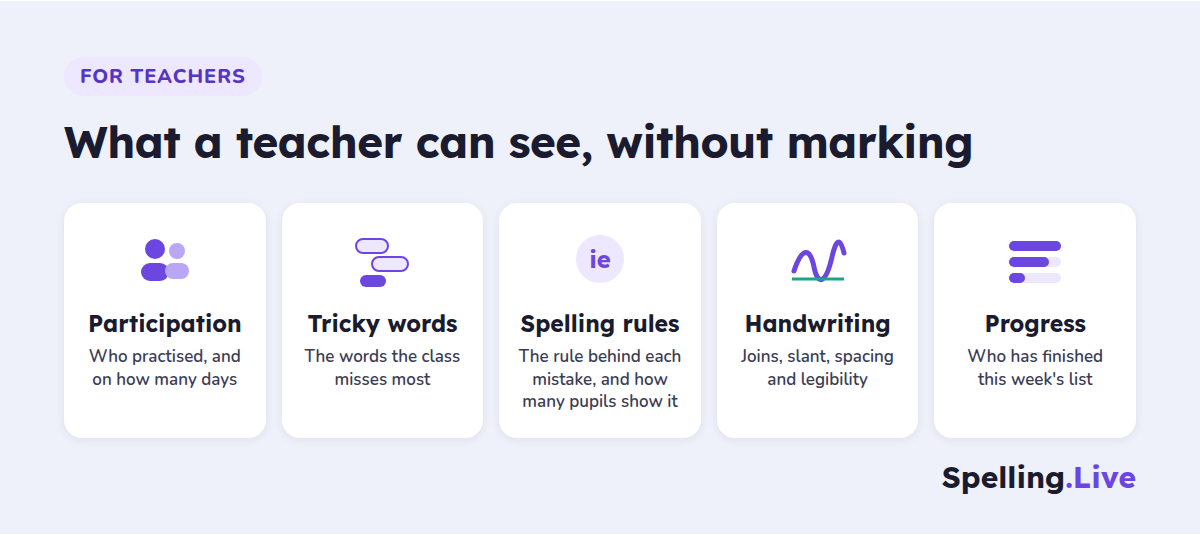
Participation, tricky words, the rule behind every mistake, handwriting and progress - all without marking.
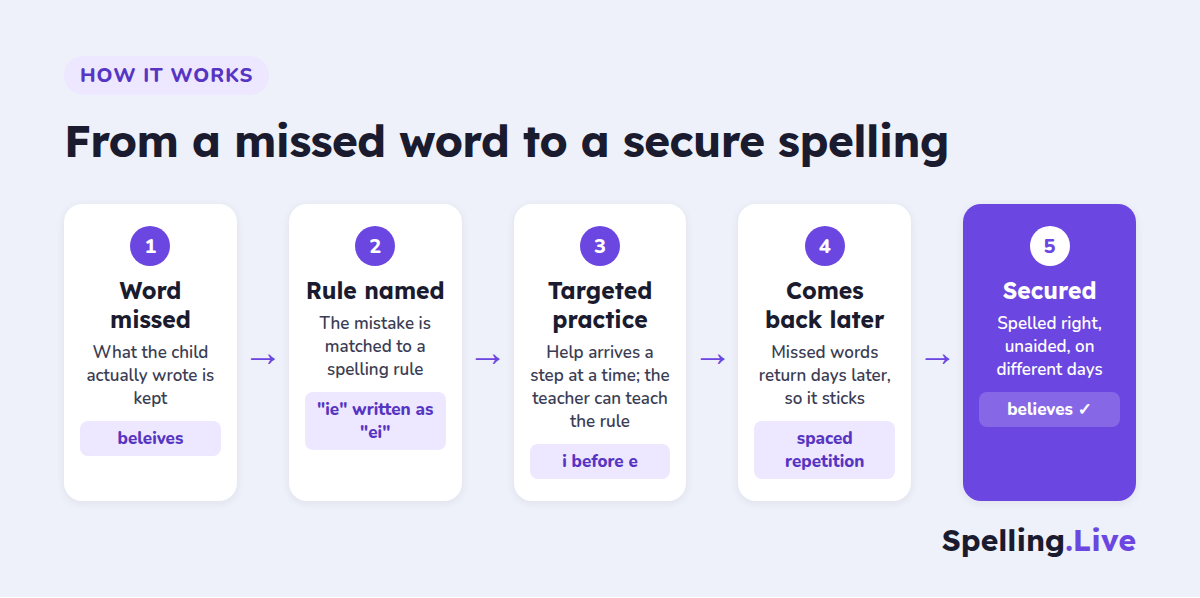
Every missed word follows the same loop: the rule is named, practice targets it, and the word comes back days later until it is spelled right unaided.
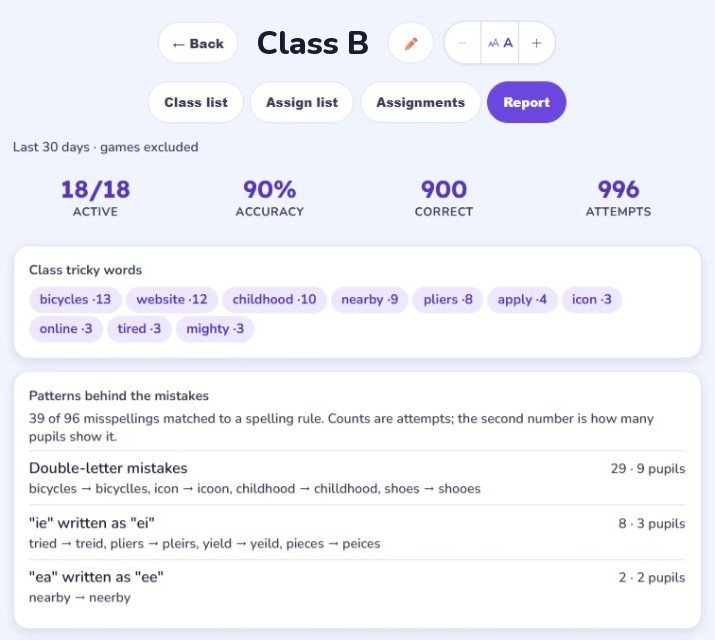
Class report: 18/18 pupils active, 90% accuracy, 996 attempts in 30 days. Games are excluded from every figure.
Read how schools are using it, with the full data behind each example:
- Two classes, 1,875 spelling attempts: what the data showed - both class reports, a pupil's report and a handwriting report.
- How schools are using Spelling.Live - whole-class sessions, interventions and early years.
- Print, dictate, scan: marking a paper class test - the paper test day walkthrough.
What the pilot includes
- Free teacher access with 500 AI credits a month for the whole term.
- Set-up help from us - class, pupil logins and first word list, over a video call if that helps.
- A direct line to the founder for the term. Your feedback decides what we build next.
- Early access to new classroom features, including the paper class test beta.
- If you write up how it went, a 1,000 credit thank-you for a short case study.
Request a pilot
Takes about a minute. We'll email you a link to confirm your address, which switches on your teacher access, and then get in touch personally about the pilot.
Thank you - check your inbox
We've sent a link to confirm your email address, which switches on your teacher access. I'll be in touch personally about the pilot within a couple of school days.
Nothing after a few minutes? Check spam, or email support@spelling.live.
Questions schools ask
What is the pilot?
A free term using Spelling.Live with one class of your choice: a whole class on school devices, a small intervention group, or a Reception or Year 1 group. We help you set up the class, pupil logins and your first word list, and stay in direct contact through the term. In return we ask for honest feedback on what worked and what did not.
What does it cost the school?
Nothing. The class tools are free and teacher accounts get 500 AI credits a month at no cost, which covers regular practice for a class. There is no card to enter and no contract. If you are regularly running out of credits, tell us: that is exactly what the pilot is for.
How do pupils sign in?
Pupils do not need email addresses. Add the class by pasting names or importing from Google Classroom, and Spelling.Live creates a simple username and password for each pupil, with printable QR login labels for younger children. Pupils can type their login or scan their label on a school tablet or laptop.
What does the teacher see?
A class report with how many pupils are active, class accuracy, the words the class misses most and the spelling rules behind those mistakes, with how many pupils show each one. Each assigned list shows every pupil's progress and who is behind after the due date. Every pupil also has their own report, and a handwriting report when writing on screen.
Can pupils work on paper?
Yes. Print a personalised QR-coded test sheet for each pupil, dictate the test as normal, then scan the pile as one PDF and upload it (how bulk scan marking works). Each page is matched to its pupil and marked against the words you dictated, and results land in each pupil's progress. Paper practice sheets and dictation tests can also be photographed and marked.
Which word lists can we use?
The National Curriculum lists are built in: Year 1 and Year 2 common exception words, and the Year 3/4 and Year 5/6 statutory spellings. You can also type, paste or photograph the school's own weekly list, and each child can be set to UK or US English.
Is it safe for children's data?
It is built as a children's product first: no ads, no free-text child input in analytics, children identified by profile ID rather than name, self-service export and deletion, and a published AI transparency register naming every AI vendor and what is sent to them.