
A spelling app for your child's own school list - in Australian English
Spelling.Live turns the spelling list your child's school sends home into short daily practice. It was built in the UK, and it teaches the English your child's school uses: when you add your child, choose 🇦🇺 Australian English and everything follows - the spellings we accept, the voice that reads the words, and school years named the way you know them (Foundation onwards).
What it does
- Your school's own list - type it in, or photograph the sheet that came home.
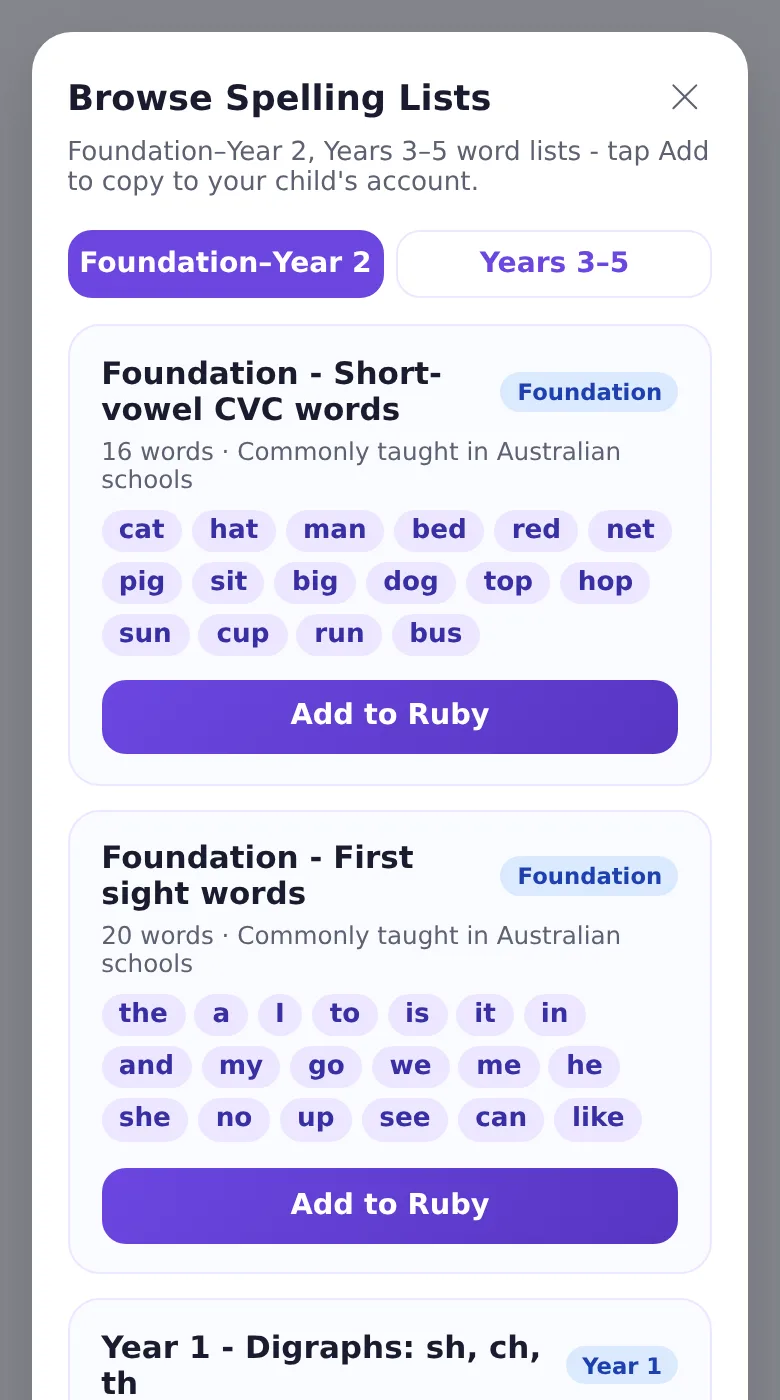
- Ready-made lists - every year level's lists below, in Australian spelling, ready to add in one tap when school hasn't sent a list yet.
- Four ways to practise - choose it, type it, say it and write it, with handwriting checked.
- Paper tests marked from a photo - a real written test, marked in seconds.
- Every mistake diagnosed - the app names the spelling pattern behind it.
- Missed words come back on a spaced schedule until they stick.
- Support for dyslexia and SEN - OpenDyslexic, colour overlays, slower speech and more.
- NAPLAN-ready habits - short, regular practice for the spelling in the Year 3 and Year 5 Conventions of Language test.
Australian spelling follows British forms (colour, favourite, organise), and Spelling.Live reads words aloud in an Australian voice when your child is set to Australian English.
Spelling words by year level
The Australian Curriculum sets out the spelling knowledge expected at each year level but does not publish a single word list, and schools choose their own. These are words commonly taught, grouped by the spelling pattern they practise.
Ready-made lists in the app
No list from school yet? Every year level list on this page, is ready-made in Spelling.Live in Australian (British-style) spelling. Set your child to Australian English, open Browse Spelling Lists and add one in a tap. Or let Spelling.Live choose the right list for their year level when you sign up.
For teachers
Teacher accounts get free class tools and 500 credits a month: pupil logins without email addresses, class reports showing the spelling rules behind every mistake, and whole-class paper tests marked from a scan. Already on Google Classroom? Import your class. See Spelling.Live for schools.
Free to start with 200 credits, no card and no subscription.
Start practising freeAbout Spelling.Live · How it works · UK, US, Australian or Indian English
Common questions
Does Spelling.Live work for Australian English?
Yes. Choose Australian English for your child and the app accepts Australian English spellings, reads words in a Australian English voice and names school years the way Australia schools do.
Can I use my child's own school spelling list?
Yes. Type it in or take a photo of the list that came home, and it becomes a practice list in seconds.
How much does it cost?
It's free to start with 200 credits and no card. After that, credits are pay-as-you-go with no subscription, and teacher accounts get 500 free credits a month.
Does Spelling.Live have ready-made Australian English spelling lists?
Yes. Every year level list on this page is ready-made in the app in Australian (British-style) spelling. Set your child to Australian English and open Browse Spelling Lists to add one in a tap.